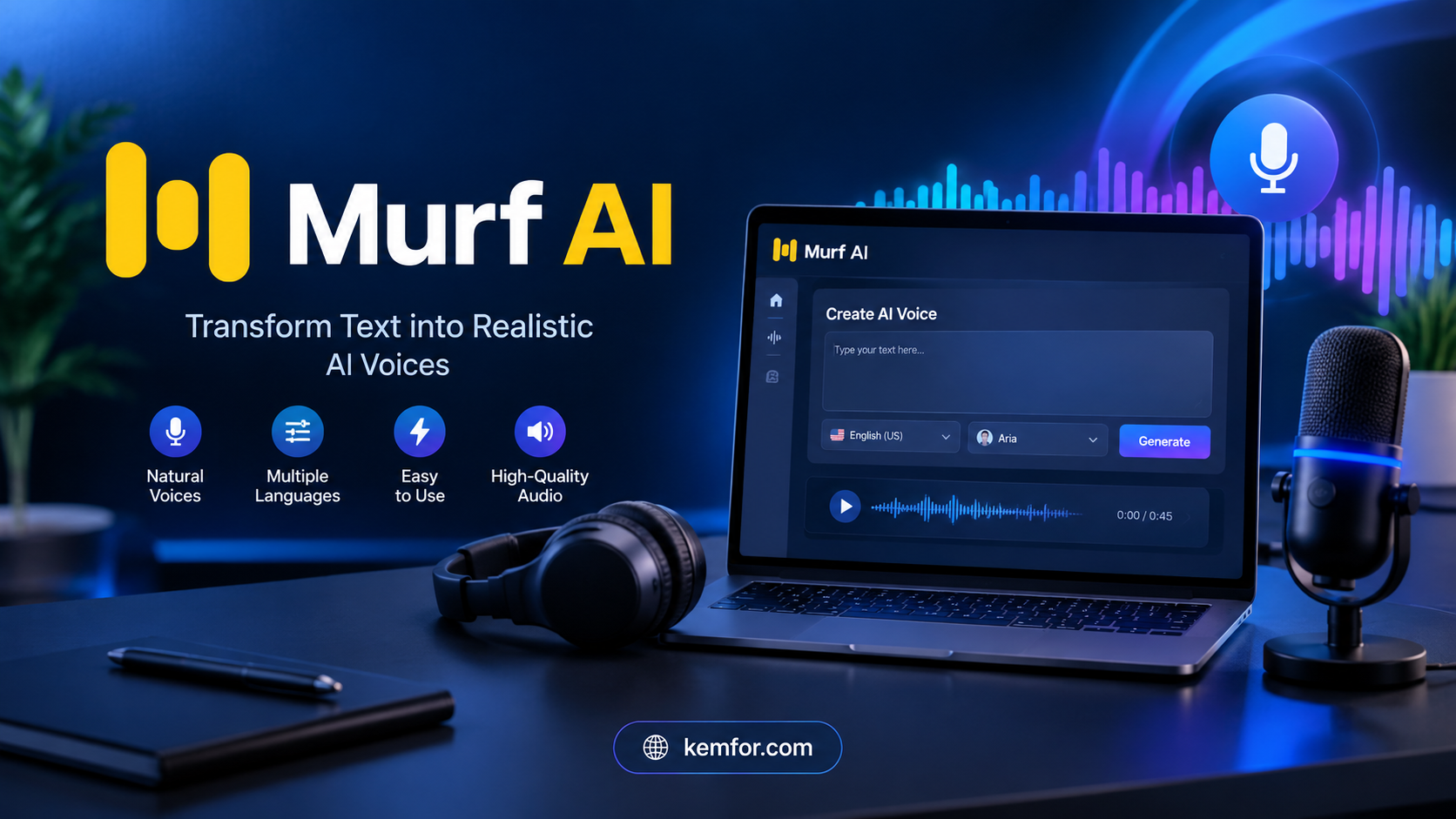
If you’ve ever needed a voiceover for a YouTube video, an online course, or a product demo — and didn’t have the time, budget, or microphone setup to record one yourself — you’ve probably come across Murf AI. It’s one of the more talked-about names in the AI voice generation space, and for good reason: it doesn’t just convert text into speech, it tries to be a complete studio for anyone who needs professional-sounding audio without hiring a voice actor.
This article breaks down what Murf AI actually does, who it’s built for, what it costs, and whether it’s worth adding to your toolkit in 2026.
What Is Murf AI?
Murf AI is a browser-based platform that turns written text into natural-sounding voiceovers using artificial intelligence. Instead of recording your own voice or paying a professional narrator, you type or paste your script, choose a voice, and Murf generates the audio for you in minutes.
But calling it just a “text-to-speech tool” undersells what it actually offers. Murf has grown into a broader audio production suite that includes:
- A large library of AI voices across many languages and accents
- A timeline-based studio editor for syncing narration with video or slides
- AI dubbing that translates and re-voices existing videos
- A voice changer that cleans up rough recordings
- Team collaboration features for agencies and larger content teams
In short, it’s aimed at anyone who regularly needs voice content — marketers, YouTubers, course creators, corporate trainers, and app developers alike.
How Murf AI Works
Getting started with Murf doesn’t require any technical or audio production background. The general workflow looks like this:
1. Write or Paste Your Script
You can type text directly into the editor or paste in an existing script, blog post, or slide deck content.
2. Choose a Voice
Murf offers a large voice library spanning multiple languages, accents, tones, and speaking styles — from conversational and warm to formal and documentary-style narration. You can preview voices before committing to one.
3. Fine-Tune the Delivery
This is where Murf stands out from more basic text-to-speech tools. You can adjust:
- Speed — slow the pace down or speed it up
- Pitch — make a voice sound higher or lower
- Emphasis — highlight specific words for natural-sounding stress
- Pauses — add breathing room between sentences or phrases
These small adjustments make a noticeable difference in how “human” the final audio sounds, which is often the biggest complaint people have about older text-to-speech software.
4. Sync With Video or Slides (Optional)
If your project involves visuals, Murf’s built-in studio editor lets you line up your voiceover with a timeline, so the narration matches your video or presentation exactly.
5. Export and Use
Once you’re happy with the result, you download the audio file (or, with a video project, the finished file) and use it wherever you need — YouTube, an LMS platform, an ad, a podcast, or a product demo.
Key Features of Murf AI
A Large, Diverse Voice Library
Murf’s voice library is one of its biggest selling points. It includes hundreds of AI voices covering a wide range of languages and regional accents — including multiple English variants (US, UK, Australian, Indian), along with Spanish, French, German, Hindi, Japanese, Arabic, and others. This matters if you’re creating content for a global audience or need a specific regional tone for a campaign.
Murf Studio (Voice + Video Editor)
Rather than generating audio and then switching to a separate video editor to sync it, Murf Studio lets you handle both in one place. You can drop your voiceover onto a timeline alongside video clips, images, or slides, which saves time for anyone producing explainer videos, training modules, or presentations.
AI Dubbing
If you already have a video in one language and need it in another, Murf’s dubbing feature can translate the script and generate a new voiceover that matches the original timing — useful for expanding content into new markets without re-shooting anything.
Voice Changer
This feature takes a rough, low-quality recording (say, something recorded on a phone in a noisy room) and converts it into a cleaner, more polished AI voice. It’s a handy option if you’d rather perform the delivery yourself but don’t have studio-quality equipment.
Voice Cloning
Higher-tier plans allow you to create a custom AI voice based on a short recording of your own voice. This is particularly useful for brands or creators who want consistent, recognizable narration across every piece of content without re-recording each time.
Integrations
Murf connects with tools people already use, including Canva, PowerPoint, and Google Slides, so you can add voice narration directly to presentations without exporting and re-importing files.
Developer API
For businesses building voice-enabled products — think interactive voice response systems, apps, or games — Murf also offers an API with low-latency voice generation, aimed at real-time or near-real-time applications.
Who Is Murf AI Best For?
Murf tends to work well for a specific set of use cases rather than being a one-size-fits-all tool. Here’s where it shines:
- Content creators and YouTubers who need consistent narration without recording every episode themselves
- E-learning and training teams producing multiple course modules that need a uniform, professional voice
- Marketing teams creating ads, explainer videos, or product walkthroughs on tight deadlines
- Corporate teams building internal training or onboarding content at scale
- Developers who want to add voice capabilities to an app or customer-facing product
If your needs are occasional and simple — say, one narrated video a year — a free or lower-cost alternative might make more sense. Murf’s real value shows up when voice production becomes a recurring part of your workflow.
Murf AI Pricing: What Does It Cost?
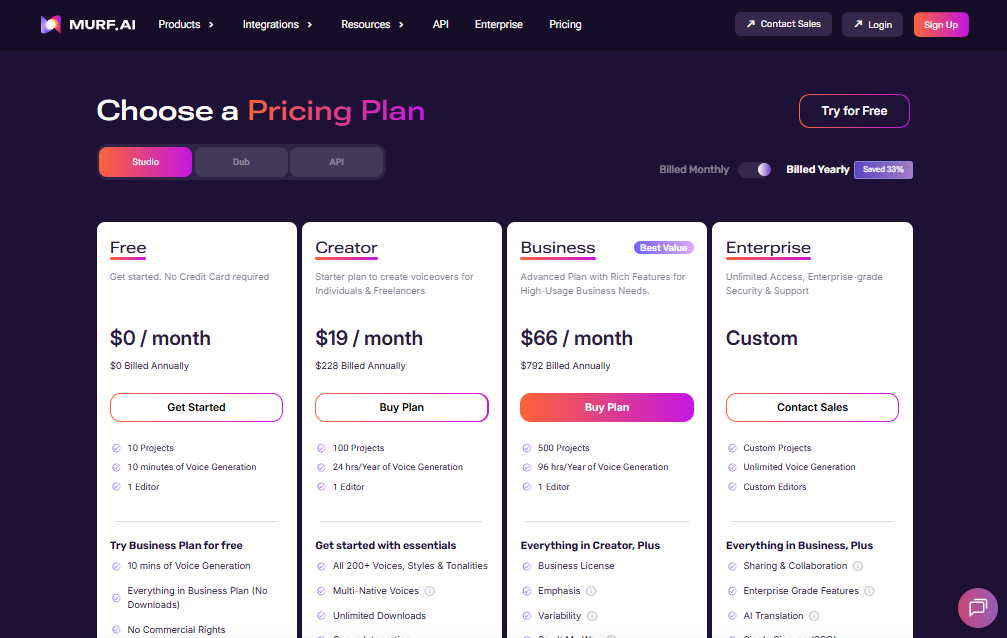
Murf’s pricing is tiered, and the difference between monthly and annual billing is significant, so it’s worth checking the current numbers directly on their site before subscribing. As a general guide, the structure looks like this:
- Free Plan — Lets you test the voice library and interface, but generation time is very limited and downloads or commercial use typically aren’t included. Good for evaluation only, not for real projects.
- Creator Plan — The entry-level paid tier, aimed at individual creators. It unlocks commercial usage rights, downloads, and a set amount of voice generation time per month.
- Business Plan — A step up in generation capacity, team seats, and additional integrations, designed for agencies and growing teams producing content regularly.
- Enterprise Plan — Custom pricing for larger organizations, typically including voice cloning, API access, dedicated support, and compliance certifications.
A few things worth knowing before you commit:
- Annual billing is noticeably cheaper than paying month to month.
- The free plan generally does not include commercial rights, so you can’t legally publish audio generated on it.
- Voice cloning and full API access are usually reserved for higher-tier or enterprise plans.
Because pricing details change fairly often, it’s a good idea to check Murf’s official pricing page for the exact current rates before subscribing.
Murf AI Pros and Cons
What Works Well
- Realistic, natural-sounding voices that hold up well compared to older robotic-sounding text-to-speech tools
- Built-in video/audio editor means you don’t need separate software for basic syncing
- Wide range of languages and accents for global content
- Simple, beginner-friendly interface — no audio engineering knowledge required
- Useful integrations with common presentation and design tools
Where It Falls Short
- The free plan is quite limited and mostly useful for testing, not real production
- Voice cloning and advanced API features are locked behind pricier plans
- Costs can add up for teams with high-volume voice generation needs
- Some competitors offer lower entry-level pricing for basic text-to-speech alone
Murf AI vs. Traditional Voice Actors
The most obvious comparison people make is Murf versus hiring a human voice actor. Here’s the honest trade-off:
- Cost: Murf is dramatically cheaper per finished hour of audio than most freelance voice actors, especially for ongoing or high-volume content.
- Speed: You get usable audio in minutes instead of scheduling a session, waiting for edits, and going through revision rounds.
- Consistency: An AI voice sounds the same every time, which matters for brand consistency across dozens of course modules or ad variations.
- Emotional nuance: Skilled human narrators can still bring subtlety and emotional range that AI voices, even good ones, don’t fully replicate — especially for storytelling-heavy content like audiobooks or emotional brand films.
For most everyday business, marketing, and training content, Murf covers the gap well. For high-stakes creative projects where performance really matters, a human voice actor may still be the better call.
Is Murf AI Worth It?
If you regularly produce voiceover content — course videos, ads, product demos, social content, or presentations — Murf AI is a genuinely practical tool. It saves time, cuts production costs, and removes the friction of coordinating recording sessions. The voice quality has improved enough that most listeners won’t immediately clock it as AI-generated, and the added editing and dubbing tools mean you’re not paying for just one feature.
If your voiceover needs are rare or highly performance-driven, you might not need a full subscription, and a free-tier alternative or a one-off voice actor booking could serve you better.
Final Thoughts
Murf AI has positioned itself as more than a basic text-to-speech generator — it’s closer to a full voice production studio built for people who need reliable, professional audio without the overhead of traditional recording. Whether it’s the right fit for you really comes down to how often you need voice content and how much control and polish you want over the final result.
If you’re on the fence, the best move is to try the free tier first, test a handful of voices against your actual script, and see whether the output matches what your project needs before committing to a paid plan.