
Every photographer has been there. You take the perfect shot, and then you notice it — a stranger walking through the background, a stray power line, a watermark from a stock photo site, or a date stamp from an old camera. Fixing these problems used to mean opening Photoshop and spending twenty minutes with the clone stamp tool, hoping the edges blend in.
Cleanup.pictures was built to solve exactly that problem, and it does it in a browser, in a matter of seconds, without asking you to learn anything.
In this review, we’ll walk through what Cleanup.pictures actually does, how it works, who it’s best suited for, its pricing, and how it stacks up against other AI photo editors on the market.
What Is Cleanup.Pictures?
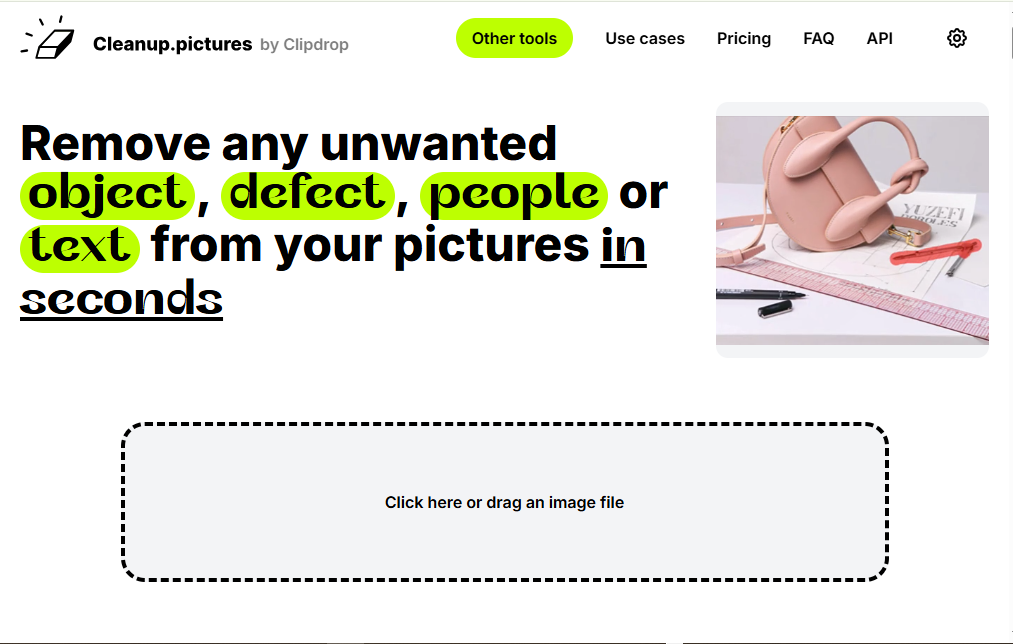
Cleanup.pictures is a web-based AI image editing tool that specializes in one thing: removing unwanted elements from photos and filling in the gap with a realistic, matching background. This process is known as inpainting, and it’s the same underlying technology used by many advanced photo editors, just packaged here in a much simpler interface.
Instead of layers, masks, and menus, Cleanup.pictures gives you a single brush. You paint over whatever you want gone — a person, a logo, a wrinkle, a stray object — and the AI reconstructs what should be there instead, based on the surrounding pixels.
It’s built for speed and accessibility rather than deep manual control, which is precisely why it has become popular with people who don’t consider themselves photo editors at all.
Who Is It For?
Cleanup.pictures is genuinely useful across a wide range of situations, not just for professional photographers. Here’s a quick look at who benefits most:
- Photographers who need to retouch portraits or event photos by removing blemishes, background clutter, or people who wandered into frame.
- Real estate agents who want to depersonalize listing photos by erasing furniture, personal items, cars, or people from a property image.
- E-commerce sellers who need clean product photos free of watermarks, dust spots, or distracting backgrounds.
- Travel and hobby photographers who want to remove tourists, cables, or trash cans from otherwise beautiful shots.
- Marketers and designers who need quick visual cleanup for social posts, ads, or website banners without opening a full design suite.
If your work involves images at all, there’s a decent chance this tool can save you time somewhere in your workflow.
Key Features of Cleanup.Pictures
AI-Powered Object Removal
This is the core feature, and it’s what the tool is named after. You brush over an unwanted object, click erase, and the AI fills the area with a plausible reconstruction of the background. It handles complex textures — grass, skin, brick walls, skies — reasonably well, and it can deal with people, animals, text, and small objects in the same pass.
Text, Logo, and Watermark Removal
Beyond general objects, the tool is also commonly used to strip out text overlays, logos, and watermarks from images. This is particularly handy for e-commerce sellers cleaning up supplier photos or marketers repurposing visuals that originally came with branding baked in.
Simple Brush-Based Interface
There’s no learning curve here. You upload a photo, adjust your brush size, paint over the area you want removed, and hit erase. Zoom and pan controls let you work precisely on smaller details, and undo/redo makes it easy to correct mistakes as you go.
Works Entirely in the Browser
There’s nothing to install. Cleanup.pictures runs on desktop and mobile browsers alike, which makes it a convenient option if you’re editing on the go or don’t want another piece of software taking up space on your computer.
High-Resolution Export (Pro)
The free version caps exports at 720p resolution, which is fine for casual use or social media, but not ideal for print or professional client work. Upgrading to Pro removes that cap and allows for full, unlimited-resolution exports.
Developer API
For businesses that want to build object removal directly into their own apps or workflows, Cleanup.pictures offers a developer API. This is useful for e-commerce platforms, real estate software, or any product that needs automated background cleanup at scale.
Additional Editing Tools
Depending on your plan, Cleanup.pictures also bundles in extras like an image upscaler and background remover, giving you a slightly broader toolkit beyond just object removal.
How to Use Cleanup.Pictures: Step-by-Step
Getting started takes less time than reading this section.
- Upload your photo. Drag and drop an image file onto the site, or import one directly from a URL. There’s also a small library of sample images if you just want to try the tool out first.
- Select the brush tool. Adjust the brush size depending on how large or small the object is that you want to remove.
- Paint over the unwanted area. Cover the object, person, or text completely. For tricky edges, zoom in for more precision.
- Click erase. The AI processes the image and reconstructs the background in a few seconds.
- Review and refine. If the result isn’t perfect, brush over the area again or use undo and try a different approach.
- Download your image. Export the cleaned-up photo, ready to use wherever you need it.
That’s the entire workflow. There’s no tutorial required, which is part of why the tool has built such a loyal casual user base alongside its professional one.
Cleanup.Pictures Pricing
Cleanup.pictures follows a freemium model, meaning you can use the core object removal feature without paying anything.
- Free Plan: Unlimited edits, but exports are limited to 720p resolution.
- Pro Plan: Roughly $5 per month (or a discounted annual rate around $36/year), unlocking full, unlimited-resolution exports along with extra tools like the background remover and image upscaler.
For casual users, the free tier is often enough. For anyone producing client-facing work, real estate listings, or print materials, the resolution cap on the free plan will likely push you toward Pro fairly quickly.
Pros and Cons
Pros
- Extremely easy to use, even with zero editing experience.
- Fast processing — results typically appear within seconds.
- Handles a wide variety of removal tasks: objects, people, text, watermarks, blemishes.
- No installation required; works directly in the browser.
- Unlimited edits on the free plan.
- Offers a developer API for teams that want to integrate it into their own tools.
Cons
- The free plan’s 720p resolution cap is limiting for professional or print use.
- Very complex scenes with intricate patterns can sometimes produce imperfect reconstructions.
- Some users have reported friction with subscription cancellation.
- Customer support response times are described as inconsistent by some reviewers.
Cleanup.Pictures vs. Alternatives
There are several other AI-powered object removal tools worth knowing about, and each has a slightly different focus.
- Photoshop’s Generative Fill offers far more manual control and integrates with a full professional editing suite, but it comes with a steeper learning curve and a subscription to the broader Adobe ecosystem.
- Remove.bg focuses specifically on background removal rather than object removal, making it a complementary tool rather than a direct competitor.
- Photoroom leans more toward product photography workflows, combining background editing with templates for e-commerce listings.
Compared to these, Cleanup.pictures holds its own by staying narrowly focused. It doesn’t try to be a full editing suite — it does one job, object removal, and does it quickly and simply. If your main need is erasing something from a photo without a steep learning curve, it’s hard to beat for convenience.
Is Cleanup.Pictures Worth Using?
For most people who occasionally need to clean up a photo — removing a stranger from a vacation shot, a watermark from a product image, or a stray object from a listing photo — Cleanup.pictures is a genuinely useful, low-friction tool. The free plan covers a lot of everyday use cases, and the Pro upgrade is inexpensive if you need higher resolution.
It’s not trying to replace professional editing software, and it shouldn’t be judged as if it were. Instead, think of it as a fast, specialized utility: the kind of tool you keep bookmarked for the moments when a great photo has one small thing wrong with it.
If that sounds like a problem you run into regularly, it’s worth giving Cleanup.pictures a try. The free plan costs nothing, and within a minute of uploading a photo, you’ll know whether it fits your workflow.