Picking the right colors is one of the trickiest parts of any design project. You can stare at a color wheel for hours and still end up with a palette that feels off. This is exactly the problem Khroma AI was built to solve.
Khroma is an AI-powered color palette generator that learns what colors you actually like, instead of showing you the same generic combinations everyone else gets. It’s become a favorite among web designers, graphic designers, brand strategists, and even hobbyist creators who just want colors that feel right without the guesswork.
In this guide, we’ll walk through what Khroma is, how it works, its main features, pricing, pros and cons, and how it stacks up against other color tools on the market. Whether you’re a complete beginner or a working designer looking for a faster workflow, you’ll find what you need here.
What Is Khroma AI?
Khroma is a browser-based tool that uses a neural network to generate personalized color palettes. Instead of browsing endless pre-made color libraries, you train Khroma by telling it which colors you’re drawn to. From there, it builds an unlimited stream of two-color, three-color, and four-color combinations based on your preferences.
It was created by designers who were frustrated with how much time gets wasted searching for the “right” palette. Rather than pulling from a fixed database of trendy combinations, Khroma builds something closer to a personal color assistant — one that gets better the more you use it.
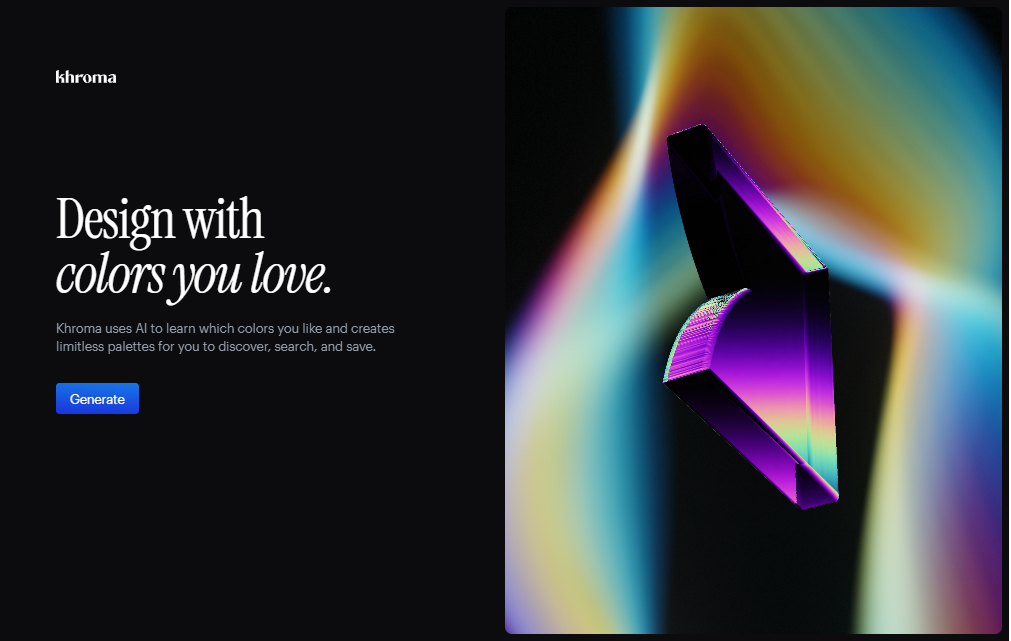
The tool is aimed mainly at:
- Web and UI/UX designers
- Graphic designers and illustrators
- Brand and marketing teams
- Students and hobbyist creatives
- Developers who need quick, accessible color codes
How Does Khroma AI Work?
At its core, Khroma runs on a simple idea: show the algorithm what you like, and it will predict more of the same. Here’s the basic process:
- Color selection stage — When you first visit Khroma, you’re shown a large grid of colors and asked to pick your favorites (around 50 in total).
- Training the algorithm — Khroma feeds your choices into a machine learning model trained on thousands of popular, human-made color palettes from across the web.
- Palette generation — The tool then generates an endless stream of palettes based on the colors you selected, filtering out shades you’re unlikely to like.
- Refining results — You can search and filter by hue, tint, value, hex code, or RGB value to narrow things down further.
- Viewing in context — Palettes can be viewed as typography samples, gradients, or overlaid on custom images, so you can see how colors actually look in a real design.
Because the whole process happens in your browser, there’s nothing to install and no account is required to get started.
Key Features of Khroma AI
Personalized Color Learning
Khroma’s biggest advantage is that it adapts to you. Instead of static, one-size-fits-all palettes, it builds recommendations around your own taste, which tends to save a lot of trial and error.
Infinite Palette Generation
Once trained, Khroma can generate an unlimited number of palette combinations. You’ll never run out of new options to explore.
Multiple Viewing Modes
You can preview palettes in different formats:
- Typography view — see how colors work with text
- Gradient view — check smooth color transitions
- Custom image view — upload your own image to test palettes against real content
Advanced Search and Filtering
You can search by hue, tint, value, hex code, or RGB, which makes it much faster to find a palette that fits a specific brand guideline or mood.
Accessibility Ratings
Each palette comes with a WCAG accessibility rating, helping you check color contrast for readability — an important step that’s often skipped in early design stages.
CSS and Code Export
Every color pair includes its hex code, RGB value, and a ready-to-use CSS snippet, so developers can copy colors straight into a project.
Unlimited Saving
You can save as many favorite palettes as you like to revisit later, all without needing to pay or upgrade to a premium plan.
How to Use Khroma AI
Here’s a simple step-by-step walkthrough for beginners:
- Go to the Khroma website. No sign-up is required to start.
- Select your favorite colors. You’ll be shown a grid of colors — click on the ones you’re drawn to until you’ve picked around 50.
- Let the algorithm train. Khroma processes your selections and builds your personal color model.
- Browse generated palettes. Scroll through the palettes Khroma creates based on your choices.
- Switch between view modes. Try the typography, gradient, and image views to see how each palette performs in context.
- Filter your results. Use the search bar to narrow palettes by hue, tint, value, hex, or RGB if you’re looking for something specific.
- Save your favorites. Click to save any palette you like — these are stored for future reference in your browser.
- Copy the code. Grab the hex, RGB, or CSS snippet for any color pair and drop it directly into your design or codebase.
The whole process usually takes just a few minutes, even for someone who has never used a color tool before.
Khroma AI Pricing and Plans
Khroma is currently free to use, with no paid tiers, subscriptions, or hidden fees. You get:
- Unlimited palette generation
- Unlimited searching and filtering
- Unlimited saving of favorite palettes
- No account required to use the core tool
Since pricing and plans can change over time, it’s a good idea to check the official Khroma website for the most current information before relying on this for a client project or business decision.
Pros and Cons
| Pros | Cons |
|---|---|
| Completely free with no paid tiers | Limited to 2, 3, and 4-color combinations |
| Learns your personal color preferences | No option to build larger 8–12 color design systems |
| No account or sign-up needed | No direct export to design software like Figma |
| Unlimited palette generation and saving | Requires an internet connection to use |
| Built-in WCAG accessibility ratings | Minimal editing tools once a palette is generated |
| Easy CSS and hex/RGB code export | Preferences are tied to your browser, not a universal account |
Who Should Use Khroma AI?
Khroma works well for a wide range of users:
- Beginner designers who don’t yet have a strong sense of color theory and want AI-backed suggestions to learn from.
- Freelance and agency designers who need fast, personalized palette ideas for client projects without spending hours browsing color libraries.
- Developers who want ready-to-use hex codes and CSS snippets without switching between multiple tools.
- Brand and marketing teams looking for a starting point for brand color exploration.
- Students and hobbyists working on personal projects, portfolios, or just experimenting with color combinations.
If you need a complete 10-color design system with tints, shades, and semantic naming, Khroma alone won’t cover that — but it’s an excellent starting point before moving to a more advanced tool.
Best Alternatives to Khroma AI
If Khroma doesn’t fully fit your workflow, here are a few solid alternatives worth trying:
1. Coolors One of the most popular color palette generators, Coolors lets you lock colors, generate shades and tints, and build full extended color systems — something Khroma doesn’t offer.
2. Adobe Color A free tool from Adobe that lets you build palettes using color theory rules (complementary, triadic, analogous, etc.) and extract palettes directly from images.
3. Paletton A more technical tool for users who want fine control over color harmony rules and relationships based on the color wheel.
4. Colormind Another AI-based palette generator that can extract colors from uploaded images and generate matching palettes using deep learning.
5. Canva Color Palette Generator A simple, beginner-friendly tool built into Canva that generates palettes from uploaded photos, useful if you’re already working inside Canva’s design ecosystem.
Many designers actually combine tools — for example, using Khroma to discover a core palette, then expanding it into a full design system with Coolors.
Is Khroma AI Safe to Use?
Yes, Khroma is generally considered safe to use. It’s a browser-based tool that doesn’t require account creation or personal information to get started, which limits the amount of data you’re sharing. It doesn’t ask for payment details, and there are no known reports of it being used maliciously.
That said, as with any online tool, it’s worth being mindful of a few standard practices:
- Avoid entering sensitive personal or client information into any web tool unless it’s explicitly required.
- Check the site’s privacy policy if you plan to use it for professional or client work.
- Keep your browser updated, as with any site you visit regularly.
Overall, Khroma’s simplicity — no login, no payment, no data-heavy forms — makes it one of the lower-risk tools in the AI design space.
Frequently Asked Questions (FAQs)
Is Khroma AI completely free? Yes, Khroma is free to use with no paid plans, subscriptions, or hidden costs at the time of writing. Always check the official site for the latest information.
Do I need to create an account to use Khroma? No. You can start generating palettes immediately without signing up.
Can Khroma generate more than 4 colors in a palette? No, Khroma focuses on 2, 3, and 4-color combinations. For larger color systems, you’ll need to pair it with a tool like Coolors.
Does Khroma work on mobile devices? Khroma is primarily designed for desktop browsers, where the color selection and filtering experience works best.
Can I export Khroma palettes to Figma or Adobe XD? Not directly. You’ll need to manually copy the hex or RGB codes and paste them into your design software.
Are Khroma’s palettes accessible for people with visual impairments? Khroma includes WCAG accessibility ratings for each color pair, which helps you choose combinations with good contrast, though it’s still worth double-checking with a dedicated contrast checker for critical projects.
Who created Khroma? Khroma was developed by designers associated with Brown University as a way to speed up the color discovery process for designers.
Final Verdict
Khroma AI is a genuinely useful, no-cost tool for anyone who wants faster, more personalized color inspiration. Its learning-based approach sets it apart from static color libraries, and features like accessibility ratings and CSS export make it practical for real design work, not just browsing.
It does have limits — you won’t build a full brand color system inside Khroma alone, and there’s no direct integration with design software. But as a starting point for color discovery, especially for beginners or anyone stuck in a color rut, it’s hard to beat the combination of being free, fast, and genuinely tailored to your taste.
If you’re looking for quick, personalized color palette ideas without paying for a tool or learning complex color theory, Khroma is well worth adding to your design toolkit.