
If you’ve ever had five browser tabs open just to compare answers from ChatGPT, Claude, and Gemini, you already understand the problem Sider AI is trying to solve.
Sider is a browser extension that puts a full AI assistant directly into your sidebar — on any website, any tab, any time. Instead of copying text back and forth between separate AI chat windows, you highlight a sentence, click an icon, or open the sidebar, and the AI works right where you are: reading your email, browsing a research paper, or scrolling through a YouTube video.
It’s become one of the more popular AI browser tools in the last couple of years, with millions of installs across Chrome, Edge, and other Chromium-based browsers. In this guide, we’ll break down exactly what Sider AI does, how it works, what it costs, and whether it’s worth adding to your browser.
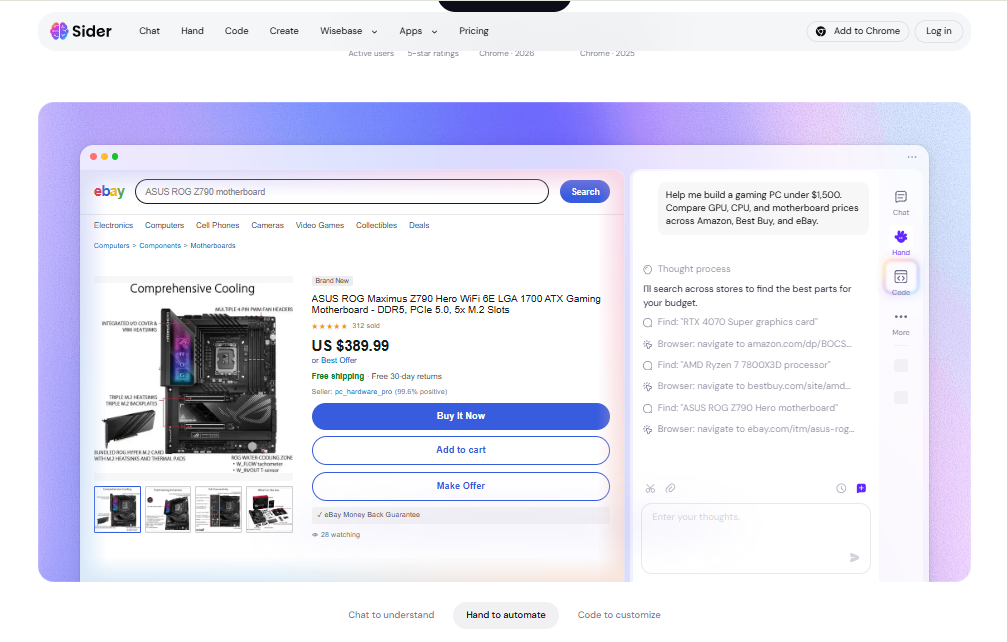
What Is Sider AI?
Sider AI is a browser extension (with companion mobile and desktop apps) that gives you access to multiple large language models — including versions of GPT, Claude, Gemini, and DeepSeek — through a single sidebar interface.
Rather than being tied to one AI provider, Sider acts as a kind of universal front-end. You pick which model you want to talk to (or let Sider suggest one), and the assistant follows you around the web. It can:
- Chat with you about anything, like a standard AI assistant
- Summarize long articles, PDFs, and YouTube videos
- Translate web pages and text on the fly
- Help you write, edit, and rewrite content
- Analyze images and documents
- Save notes and findings into a personal knowledge base
In short, Sider tries to be the AI layer that sits on top of your entire browsing experience, instead of a separate destination you have to visit.
How Does Sider AI Work?
At a basic level, Sider works like this:
- You install the extension in your browser.
- A sidebar icon appears on the edge of your screen, available on any webpage.
- You open the sidebar and choose an AI model to chat with, or use a built-in tool (like page summary or translation).
- Sider reads the context of the page you’re on — if you ask it to summarize an article, it pulls the visible content automatically, so you don’t need to copy and paste anything.
- You get a response in the sidebar, which you can copy, refine, or continue chatting about.
Because it lives in the browser rather than a separate app, Sider can “see” what you’re looking at. That’s the core idea behind most of its features — less switching between windows, more getting answers where you already are.
Key Features of Sider AI
Multi-Model Access
Instead of paying for separate subscriptions to different AI chatbots, Sider gives you access to several models — typically a mix of GPT, Claude, Gemini, and DeepSeek variants — from one interface. Some plans even let you run a “group chat” and compare how different models answer the same question side by side.
Page and PDF Summarization
Sider can generate quick summaries of long articles, research papers, and PDF documents. This is especially useful for students and researchers who need to skim large amounts of material quickly.
YouTube Video Summaries
Rather than watching a 40-minute video to find the two minutes that matter, Sider can pull a transcript-based summary of YouTube content, saving a meaningful amount of time.
AI Translation
Sider offers on-page translation across 50+ languages, which is handy for reading foreign-language sites, emails, or documents without switching to a separate translation tool.
Writing and Editing Assistant
The extension can help you draft emails, rewrite paragraphs, adjust tone, fix grammar, and expand or shorten text — directly inside text boxes on websites like Gmail, LinkedIn, or Google Docs.
Deep Research Agent
On higher-tier plans, Sider includes a research agent that scans multiple sources across the web and compiles a cited report on a topic — a feature aimed at writers, students, and analysts who need more than a single-answer response.
Wisebase (Knowledge Base)
Sider lets you save highlights, chat threads, and notes into a personal knowledge base called Wisebase, so you can revisit past research instead of losing it in your chat history.
Image and Document Tools
Depending on your plan, Sider can also handle image generation, OCR (extracting text from images), and basic data analysis tasks.
How to Use Sider AI
Here’s a simple step-by-step guide for getting started:
- Go to the Chrome Web Store (or Edge Add-ons store) and search for “Sider AI,” or visit Sider’s official website directly.
- Install the extension and pin it to your browser toolbar for easy access.
- Create an account — you can usually sign up with Google or email.
- Open the sidebar by clicking the Sider icon on any webpage.
- Choose an AI model from the dropdown menu, depending on what you need (general chat, coding help, writing, etc.).
- Try a built-in tool — for example, open a long article and click “Summarize,” or open a PDF and ask it a question directly.
- Highlight text on any page to bring up quick-action options like “Explain,” “Translate,” or “Rewrite.”
- Check your daily credits in account settings if you’re on the free plan, so you know when you’re close to the limit.
- Upgrade if needed once you find yourself hitting daily limits or wanting access to more advanced models.
Most people can get comfortable with the basics within a few minutes — the trickiest part for new users is usually the sheer number of tools available, so it helps to start with just chat and summarization before exploring everything else.
Sider AI Pricing and Plans
Sider uses a freemium, credit-based pricing model. That means instead of “unlimited access” at every tier, you get a certain number of credits per day or month, and different actions (chatting with a basic model versus a premium model, for example) use different amounts of credit.
Broadly, the plan structure looks like this:
- Free Plan — No cost. Includes a daily credit allowance for basic chat, page summaries, and limited access to lightweight AI models. Good for trying the tool out or light, occasional use.
- Entry-level paid plan — A low-cost monthly tier aimed at casual users who want more daily credits and occasional access to premium models.
- Mid-tier plan — Designed for regular users, offering a larger pool of monthly credits and better access to advanced models and features like Deep Research.
- Higher/Unlimited tier — Aimed at power users, offering the largest credit pools (often close to unlimited under fair-use limits), priority access to premium models, and cross-device sync.
- Enterprise/Team plans — Custom pricing for teams that need shared seats, admin controls, and centralized billing.
A word of caution on pricing: Sider’s exact prices and tier names have changed multiple times over the past year, and different regions or promotions may show different numbers. Rather than quoting figures that may already be outdated by the time you read this, we’d recommend checking Sider’s official pricing page directly before subscribing, so you’re seeing the current, accurate rates and credit allowances.
Pros and Cons
| Pros | Cons |
|---|---|
| Access to multiple AI models (GPT, Claude, Gemini, and more) in one place | Credit-based system can be confusing for new users |
| Works across almost any website, not just a standalone chat app | Heavy daily use can get expensive on paid tiers |
| Strong summarization tools for articles, PDFs, and YouTube videos | Free plan’s daily credits run out quickly with regular use |
| Built-in translation across 50+ languages | Interface can feel cluttered with so many features packed in |
| Deep Research agent is useful for writers and students | Some advanced features are locked behind higher-tier plans |
| No need to juggle multiple separate AI subscriptions | Pricing and plan names change fairly often |
| Free plan available with no credit card required | Mobile app support is more limited than the browser extension |
Who Should Use Sider AI?
Sider tends to work best for people who spend a lot of their day inside a browser and want AI help without constantly switching tabs. That includes:
- Students and researchers who need to summarize articles, PDFs, and lecture videos quickly
- Content writers and marketers who want drafting and editing help directly inside their writing tools
- Knowledge workers who read a lot of documents, emails, and reports and want faster ways to process them
- People who use multiple AI models and don’t want to pay for separate ChatGPT, Claude, and Gemini subscriptions individually
- Non-native English speakers who benefit from built-in page translation
It’s probably less useful for people who only need occasional, simple AI help — in that case, a single free chatbot app might be enough, and Sider’s broader toolkit could feel like overkill.
Best Alternatives to Sider AI
If Sider doesn’t quite fit your needs, here are a few other browser-based AI tools worth comparing:
- Monica AI — Another multi-model browser assistant with writing, image generation, and translation tools, often positioned as a direct Sider competitor with similar pricing.
- Merlin AI — A browser extension focused on research and productivity, with support for multiple AI models and a Firefox-friendly version.
- ChatGPT (with browser extensions) — The original chatbot from OpenAI. Less multi-model flexibility, but deep integration with its own ecosystem and strong general performance.
- Claude (web app) — Anthropic’s assistant, known for careful, well-reasoned responses and strong document handling, though it doesn’t offer a built-in multi-model sidebar like Sider.
- Perplexity — Built more around search and cited answers than general browsing assistance, a good fit if your main need is fact-checked research rather than an all-purpose sidebar.
Each of these tools has a different focus — some lean toward research, others toward writing or general chat — so the “best” choice really depends on what you’ll use it for most.
Is Sider AI Safe to Use?
Sider AI is a legitimate, widely used browser extension, and there’s no indication it’s a scam or malicious tool. That said, a few practical safety points are worth keeping in mind, as with any browser extension that reads page content:
- Data access: Because Sider needs to read webpage content to summarize or answer questions about it, it requires broad permissions in your browser. This is normal for this category of tool, but it’s worth reviewing what data the extension can access, especially if you use it on sites with sensitive information.
- Privacy policy: Check Sider’s official privacy policy for details on what data is stored, for how long, and whether conversations are used to improve their models.
- Official sources only: Always install Sider from the official Chrome Web Store, Edge Add-ons store, or Sider’s own website — avoid third-party download sites, which can bundle extensions with unwanted software.
- Sensitive information: As a general rule with any AI assistant, avoid pasting highly sensitive personal, financial, or confidential company data into the chat unless you’ve confirmed how that data is handled.
Overall, Sider is comparable in safety to other mainstream AI browser extensions — it’s not inherently riskier, but normal browser-extension caution still applies.
Frequently Asked Questions (FAQs)
Is Sider AI free to use? Yes. Sider offers a free plan with a daily credit allowance that covers basic chat, summaries, and limited use of premium models. No credit card is required to sign up.
Which AI models does Sider AI support? Sider typically offers access to a mix of models including versions of GPT, Claude, Gemini, and DeepSeek, though the exact lineup can change as new models are released.
Does Sider AI work on mobile? Sider has mobile apps in addition to its browser extension, though the mobile experience is generally more limited than the full desktop browser version.
Can Sider AI summarize YouTube videos? Yes. Sider can generate a summary of a YouTube video’s content based on its transcript, which is useful for quickly understanding long videos without watching them in full.
Is Sider AI better than ChatGPT? It depends on your needs. ChatGPT is a strong standalone assistant, while Sider’s advantage is bundling multiple models plus browser-integrated tools like page summarization and translation into one sidebar. If you already use several AI chatbots, Sider may save you money and time.
How much does Sider AI cost? Pricing is credit-based, with a free tier and several paid tiers depending on how many credits and which models you need. Because prices and plans change periodically, check Sider’s official pricing page for the most current figures.
Do I need to create an account to use Sider AI? Yes, you’ll need to sign up (usually via Google or email) to use the extension, even on the free plan.
Final Verdict
Sider AI is a genuinely useful tool for anyone who spends a lot of time reading, researching, or writing in their browser and doesn’t want to keep multiple AI subscriptions running separately. The multi-model access, page summarization, and translation tools solve real, everyday friction points — especially for students, writers, and knowledge workers.
That said, it isn’t the simplest tool to get used to. The credit-based system takes a bit of learning, the interface can feel busy with so many features crammed into a sidebar, and casual users might find the free plan’s limits a bit tight for daily use.
If you’re someone who bounces between ChatGPT, Claude, and Gemini throughout the day, Sider is worth trying — the free plan costs nothing and gives you a real sense of whether the workflow fits how you browse. For lighter, occasional AI use, a single dedicated chatbot might still be the simpler choice.