
If you’ve ever spent an entire evening fighting with slide alignment in PowerPoint, you already understand why tools like Gamma AI have become so popular. Gamma is a web-based platform that turns a simple text prompt into a fully designed presentation, document, or website in under a minute. No templates to hunt for, no fonts to match, no hours lost nudging text boxes into place.
This article breaks down what Gamma AI actually does, how it works, what it costs, and whether it’s the right fit for your workflow — whether you’re a student putting together a class project or a marketing team producing pitch decks every week.
What Is Gamma AI?
Gamma is an AI-powered content creation tool that generates presentations, documents, and websites from a short prompt or outline. Instead of building slide by slide, you describe what you need — a pitch deck, a training guide, a product one-pager — and Gamma drafts the entire structure, writes the content, chooses layouts, and adds images automatically.
What makes Gamma different from a typical slide app is its card-based format. Rather than treating your content as fixed 16:9 slides, Gamma organizes everything into flexible “cards” that adapt to whatever type of content sits inside them. A slide full of statistics gets a chart. A story-driven section gets a flowing narrative layout. A comparison gets a table. You don’t have to decide any of this manually — Gamma reads the content and picks a design that fits.
The platform has grown quickly, now serving tens of millions of users worldwide, and it’s used by individuals, startups, and larger enterprise teams alike.
How Gamma AI Works
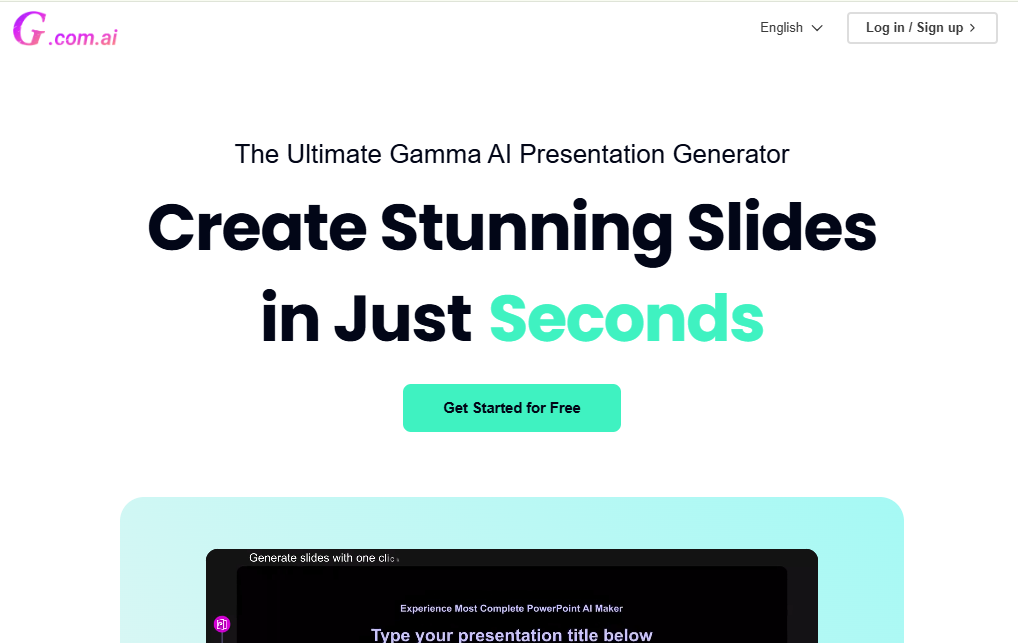
Using Gamma generally follows a simple three-step process:
- Start with a prompt or outline. Type a short description of what you want, paste in existing notes, or upload a PDF or PowerPoint file you’d like reshaped.
- Let the AI generate a draft. Within seconds, Gamma produces a structured first version with text, layout, and relevant images already in place.
- Refine with the AI assistant. Gamma’s built-in assistant lets you ask for changes in plain language — “make this more formal,” “add a chart here,” “shorten this slide” — instead of manually editing every element.
Because the whole draft appears almost instantly, most of your time goes into refining ideas rather than building the container for them.
Key Features of Gamma AI
Gamma has expanded well beyond basic slide generation. Here’s what it currently offers.
1. One-Prompt Content Generation
The core feature is still the fastest way to get from idea to finished output. A single prompt can produce a full deck, document, or webpage complete with headings, body text, and supporting visuals — typically in under a minute.
2. Multi-Format Output
Gamma isn’t limited to presentations. From the same workflow, you can create:
- Slide decks for pitches, reports, or training
- Long-form documents with rich formatting
- Standalone websites, published with one click
- Social media graphics and short-form content
This flexibility means one tool can cover several jobs that used to require separate software.
3. AI-Assisted Editing
Gamma’s conversational assistant acts like a design partner. You can ask it to restyle an entire deck, pull in supporting research from the web, rewrite a section, or adjust tone — all through natural language instead of manual formatting.
4. Automatic Design and Layout
Typography, spacing, and color coordination are handled automatically, so even a first draft looks polished. Content type determines layout: data gets visualized, lists get organized, and narrative sections get more breathing room.
5. AI Image Generation
Built-in image tools let you generate custom visuals — charts, illustrations, marketing graphics — directly inside the platform, without needing a separate design tool.
6. Import and Export Options
You can import an existing PDF or PowerPoint file and let Gamma redesign it, or export your finished work as PDF, PNG, PowerPoint, or a shareable web link. It’s worth noting that exports to PowerPoint can sometimes flatten Gamma’s more dynamic layouts, so heavy post-export editing in PowerPoint itself isn’t always smooth — something to keep in mind if your workflow depends on native PPTX editing.
7. Collaboration Tools
Teams can work on the same project in real time, leave comments, and manage shared brand themes, which is useful for organizations that need consistent visual identity across many decks.
Gamma AI Pricing
Gamma follows a tiered pricing model, with a genuinely usable free plan:
- Free — No cost, no credit card required. Includes basic AI generation, PDF/PPTX import, and standard exports, with Gamma branding included on outputs.
- Plus — A paid monthly or annual plan that removes Gamma branding and unlocks more advanced AI image models.
- Pro — A higher-tier paid plan aimed at professionals, adding premium image models, custom branding and fonts, analytics, and API access.
- Ultra — The top-tier plan built for larger teams, offering the most advanced AI models, the highest usage limits, and expanded custom domain support.
Exact pricing changes over time, so it’s worth checking Gamma’s own pricing page for current numbers before committing to a paid tier.
Who Should Use Gamma AI?
Gamma works well for a wide range of users, though the best fit depends on your goals.
Beginners and Students
If you’ve never designed a slide deck before, Gamma removes almost all the technical barrier. You describe your topic, and the tool handles layout, wording, and visuals — leaving you free to focus on the content itself rather than design mechanics.
Startups and Small Teams
Founders building pitch decks, or small teams that don’t have a dedicated designer, benefit from Gamma’s speed. A rough idea can become an investor-ready draft in minutes, which is then easy to refine rather than build from scratch.
Marketers and Content Creators
Because Gamma supports decks, documents, websites, and social graphics from one workflow, marketing teams can repurpose a single piece of content across multiple formats without switching tools.
Enterprise Teams
Larger organizations can use Gamma’s collaboration features, custom branding, and analytics to maintain consistency across many presentations created by different people — though some enterprise reviewers note that keeping strict, locked brand templates across a large team can take extra setup compared to more rigid enterprise design tools.
Gamma AI Pros and Cons
A balanced look at where Gamma shines and where it falls short.
Pros:
- Extremely fast draft generation, often under a minute
- Clean, professional-looking design with no manual formatting needed
- Multi-format output covers decks, docs, websites, and social content
- Conversational AI editing makes revisions quick
- Usable free plan with no credit card required
- Real-time collaboration for teams
Cons:
- PowerPoint exports can lose some of the original dynamic design
- Heavier customization (very specific brand rules, pixel-precise layouts) can be harder than in traditional slide software
- Free plan usage limits may feel restrictive for frequent, high-volume users
- As with any AI-generated content, drafts still benefit from a human review pass for accuracy and tone
Gamma AI vs. Traditional Presentation Tools
Compared to PowerPoint or Google Slides, the biggest difference is where your time goes. Traditional tools ask you to build the structure first and fill it with content second. Gamma reverses that: you provide the content or a prompt, and the structure appears automatically.
This makes Gamma faster for early drafts, but traditional tools still have an edge when you need precise, pixel-level control or when your final file absolutely must remain a fully native, editable PowerPoint format for downstream use. Many users end up using both — Gamma for the fast first draft, and a traditional tool for final fine-tuning when needed.
Tips for Getting the Best Results from Gamma
A few small habits can noticeably improve what Gamma produces:
- Be specific in your prompt. Instead of “marketing deck,” try “a 10-slide marketing deck for a new plant-based snack brand targeting health-conscious millennials.”
- Start from an outline when you can. Pasting in bullet points or existing notes gives Gamma more to work with than a single vague sentence.
- Use the AI assistant for iteration. Rather than manually redoing a slide, ask the assistant directly for the change you want.
- Review before sharing. Treat the first draft as a strong starting point, not a finished product — a quick proofread catches anything that needs a human touch.
Final Thoughts
Gamma AI has carved out a clear niche: it takes the slowest, most tedious part of presentation building — the formatting and layout — and automates it almost entirely. For anyone who needs to turn ideas into polished visual content quickly, whether that’s a student, a startup founder, or a marketing team, it’s a genuinely useful addition to the toolkit.
It isn’t a perfect replacement for every use case, particularly where strict native PowerPoint editing or highly customized enterprise branding is required. But as a fast, flexible way to go from a blank page to a presentable draft, Gamma AI is one of the more practical AI tools available right now.